TL;DR: A launch landing page has exactly one job — turn a visitor into a signup — so don't pick a builder by feature count. Pick it by three things that actually matter pre-launch: how fast you can get it live, how little it costs before you have revenue, and how cleanly a waitlist form drops into it. This guide ranks the best landing page builders for startups by your situation, not their feature lists: fastest and cheapest (Carrd), best design without a developer (Framer), full marketing site with a CMS (Webflow), WordPress sites, AI-generated pages (Durable), paid-traffic optimization (Unbounce) — and the option most launch guides skip, which is not building a page at all and using a hosted waitlist page instead. Disclosure up front: that last one is our product. Real alternatives recommended everywhere else.
What a launch page is actually for
Most "best landing page builder" lists are written for marketing teams shipping a 12-page website. You're not doing that. You're launching, which means your landing page is a coming soon page with a single purpose: convert a stranger into someone who has given you their email and is now waiting for your product.
That single purpose changes how you should shop. A marketing team cares about CMS depth, A/B testing infrastructure, and design systems. A founder building a launch landing page cares about three numbers:
- Time-to-live. How long from "I have an idea" to "the page is collecting emails"? For a pre-launch page the honest answer should be hours, not weeks. Every day the page isn't up is a day of audience you didn't build.
- Cost before revenue. You have no customers yet. A tool that costs $99/month before you've made a dollar is a tool that's working against you. The right pre-revenue spend is roughly the price of a coffee subscription.
- How a waitlist form embeds. This is the one most lists ignore entirely. A launch page without a signup mechanism is a brochure. The question isn't "can this builder make a pretty page" — it's "how painlessly can I get a working waitlist widget onto it, with referral mechanics and spam protection that hold up on launch day."
In the Startup Launch Stack — the four-stage way we think about launching, where you Validate the idea, Build audience before you ship, win Launch day, then convert First customers — landing pages live squarely in Build audience. Their entire job is collecting demand while you build. Keep that in mind as you read: you are not buying a website. You are buying the fastest credible way to start a waiting list.
The builders at a glance
| Your situation | Pick | Best for | Price from |
|---|---|---|---|
| Fastest, cheapest, pre-revenue | Carrd | A clean one-page launch site live in an afternoon | $19/yr |
| Great design, no developer | Framer | Agency-quality launch pages without hiring anyone | $10/mo (annual) |
| Full marketing site with CMS | Webflow | A site you'll grow into a blog and product pages | $15/mo (annual) |
| Already on WordPress | WordPress + waitlist plugin | Keeping your launch page on a stack you own | Hosting cost |
| Want AI to draft the page | Durable | Generating a first-draft site from a prompt | Free; paid from ~$15/mo |
| Running paid ads to the page | Unbounce | A/B testing and conversion optimization at scale | $99/mo ($64/mo annual) |
| Skip the builder entirely | LaunchList (that's us) | A hosted waitlist page with referral mechanics, no site needed | Free (paid is one-time, not a subscription) |
Now the detail — when each one is the right call, and when it isn't.
1. Fastest and cheapest: Carrd
If you are pre-validation and pre-revenue, you should spend the least possible money and the least possible time on the page itself. Carrd is the answer to both. Nineteen dollars a year gets you a fast, clean, responsive one-pager with a custom domain, and you can have it live in an afternoon without touching code.
Carrd's whole philosophy is constraint: one page, a handful of templates, no sprawling editor to get lost in. For a launch page, that constraint is a feature. You don't need a multi-page site to collect emails — you need a headline, a sentence, and a form. Carrd gives you exactly that and gets out of the way.
The one thing Carrd doesn't do natively is a real waitlist with positions and referrals. That's fine — you embed one. Drop a waitlist widget onto the Carrd page and you've turned a static one-pager into a working pre-launch waitlist in under an hour. The page is from Carrd; the growth loop is from the embed.
Best for: founders who want the cheapest credible launch page on the internet, live today, with money left over to spend on actually reaching people.
2. Best design without a developer: Framer
There's a point where a template page starts to undersell the product. When the launch deserves design that looks like a studio made it — and you don't have a designer or a developer — Framer is the tool.
Framer started as a design tool and became a full website builder, which is why its output looks the way it does. You get real layout control, smooth animations, and hosting included, without writing code or hiring anyone. For a launch where first impressions matter — a developer tool with a discerning audience, a design product, anything where the page itself is part of the pitch — Framer punches well above a template.
Pricing is founder-friendly at this stage. The Basic plan is $10/month billed annually (more on monthly billing), which covers a custom domain and a live site — plenty for a launch page. You won't need the higher tiers until the page grows into a real site.
Embedding a waitlist works the same way it does on Carrd: Framer supports custom embed code, so a waitlist widget drops straight in. You get Framer's design polish and a real signup-and-referral engine in the same page.
Best for: design-conscious launches where the page is part of the product's first impression, with no developer on hand.
3. Full marketing site with a CMS: Webflow
Sometimes the launch page isn't a throwaway — it's the first page of the marketing site you'll keep building. You know you'll want a blog, changelog, customer pages, and SEO content within a few months. In that case, don't build a Carrd page you'll throw away. Build on Webflow.
Webflow is the most powerful no-code site builder, full stop. The trade-off is a real learning curve — it exposes the box model, flexbox, and a CMS, which is exactly what you want for a growing site and exactly what's overkill for a single launch page. The Basic site plan starts at $15/month billed annually, but note that Basic doesn't include the CMS; Webflow's CMS-capable plan now starts at around $25/month billed annually after a mid-2026 pricing reshuffle. So if the CMS is the reason you're choosing Webflow, budget for the higher tier.
If Webflow is your pick, we wrote a step-by-step Webflow waitlist setup guide that walks through embedding a signup form and waitlist into a Webflow page without breaking the design.
Best for: founders who know the launch page is just page one of a full marketing site with a blog and CMS, and want to build on a platform they won't outgrow.
4. Already on WordPress: native page plus a waitlist plugin
If your site already runs on WordPress, you don't need a separate builder at all. You need a landing page and a way to collect waitlist signups on the stack you already own.
WordPress handles the page natively — a page template, a block editor or a builder like Elementor, done. The piece people overcomplicate is the signup. You don't need a custom form, a Zapier chain, and a spreadsheet. A waitlist plugin handles the form, the positions, the referral links, and the spam filtering inside WordPress. Our WordPress waitlist plugin setup guide covers the full install, from page to working referral loop.
The advantage of staying on WordPress is ownership: it's your hosting, your data, your stack, no new platform to learn or pay for. The disadvantage is the usual WordPress tax — plugins, updates, and the occasional afternoon lost to a theme conflict. If that's already your world, though, adding a launch page costs you almost nothing.
Best for: founders whose site is already on WordPress and who'd rather extend it than learn a new builder.
Not sure where the form should actually live? Whether you embed a widget into one of these builders or point people at a fully hosted page is a real decision with trade-offs. We break it down in hosted waitlist page vs. embedded widget — read it before you commit to an approach.
5. Let AI draft the page: Durable
The 2026 entry on this list. AI site generators turn a written description into a working website — copy, layout, images, and all — in the time it takes to describe what you're launching. Durable is the most established of these for small-business and launch use: type a prompt, get a generated site, edit from there. It has a free plan to try, with paid plans from around $15/month (sources vary on exact tier naming, so verify the current page before committing).
Be clear-eyed about what AI generation is good for. It's a first draft accelerator. It gets you from blank page to something-shaped fast, which kills the "I'll build the page next week" procrastination that quietly costs founders weeks of audience-building. What it's not is a finished, on-brand launch page — you'll still edit copy and layout, and you'll still need to add a real waitlist mechanism, because a generated page gives you a generic contact form, not a referral-driven waitlist with positions and spam protection.
So treat Durable (or any AI builder) as the way to skip the blank canvas, then embed a waitlist widget to turn the generated page into an actual demand-collection machine.
Best for: founders who want to get past the blank page fast and are comfortable editing an AI first draft into shape.
6. Running paid traffic: Unbounce
Everything above assumes you're driving organic, social, and build-in-public traffic to your launch page. If instead you're spending real money on ads — Google, Meta, anything where you pay per click — the math changes, and so should the tool.
Unbounce is built for that world. Its whole reason to exist is conversion optimization at scale: A/B testing variants, smart traffic routing, dynamic text replacement that matches the page to the ad someone clicked. When you're paying for every visitor, squeezing an extra few points of waitlist conversion rate out of the page pays for the tool many times over.
But be honest about who this is not for, because most founders reading this aren't the buyer. Unbounce's entry plan, Build, is $99/month (about $64/month billed annually). That's a price that only makes sense when you're spending enough on ads that a 10% conversion lift is worth hundreds or thousands of dollars a month. For a pre-revenue founder driving organic traffic to a waitlist, Unbounce is dramatically over-tooled and over-priced. Come back to it when you have an ad budget and a reason to A/B test, not before.
Best for: teams running meaningful paid-ad spend who need A/B testing and conversion optimization — and almost nobody pre-revenue.
7. Skip the builder entirely: a hosted waitlist page
Here's the option most landing-page roundups never mention, because they're written by landing-page builders: you may not need a builder at all.
Every tool above gets you a page, and then you still have to embed a signup, wire up referral links, add spam protection, and connect your email tool. That's the real work. If the only thing you're launching right now is a waitlist, you can skip the page-building step and start with a page that's already a waitlist.
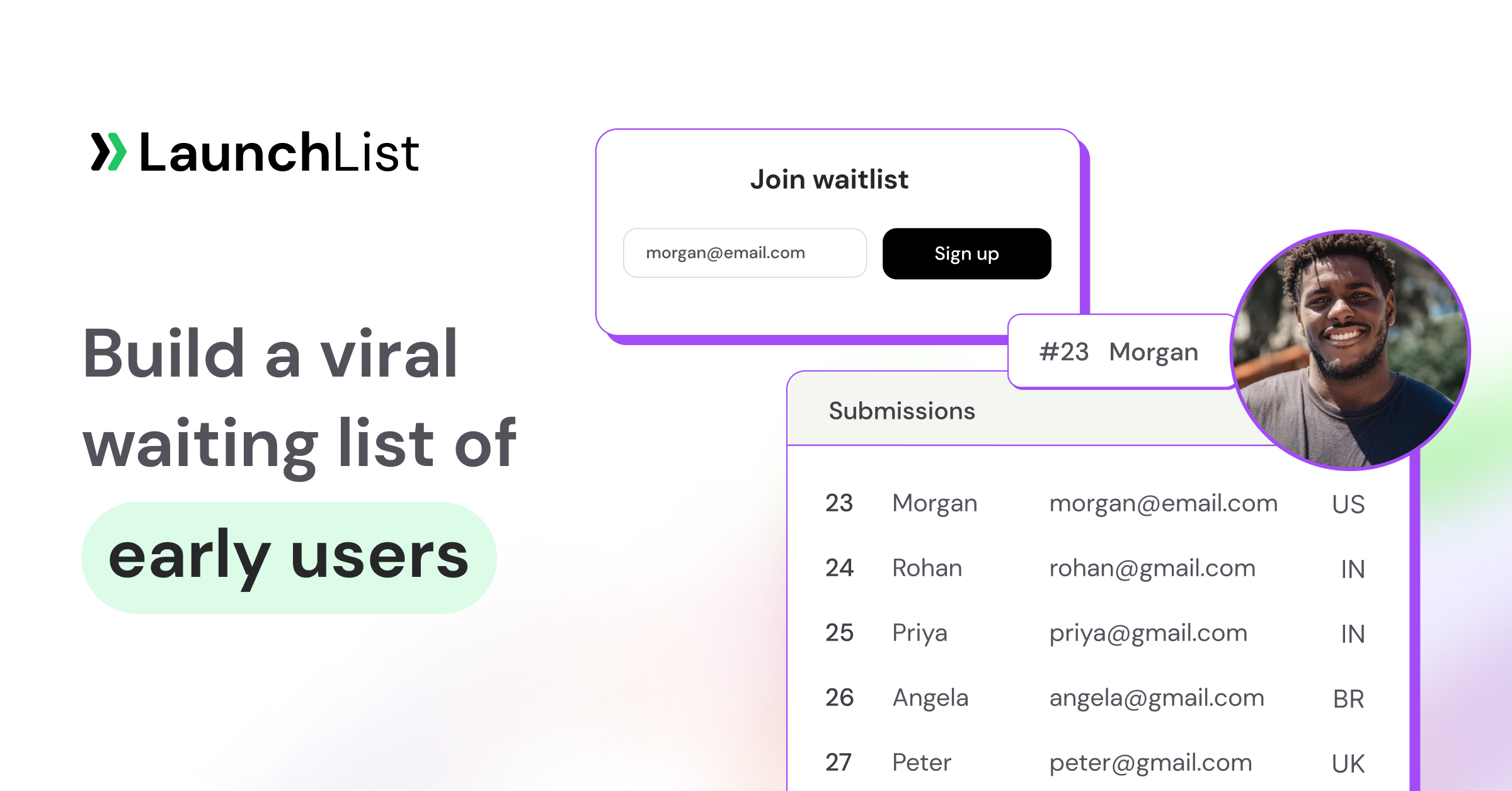
That's what LaunchList does (disclosure: this is our product). You get a hosted waitlist landing page — a real, customizable page on a URL, no website required — with the referral mechanics built in: every person who joins gets a queue position and a referral link, and climbs the list by bringing friends. Spam protection is on by default, so your launch-day numbers are real humans and not bot signups. There's a free plan to start, and paid upgrades are one-time purchases, not a subscription — you're not signing up for another monthly bill before you have revenue.
The honest version, because a hosted page is genuinely the wrong call sometimes:
- You need full brand control. If the page has to match a specific design system pixel for pixel, a builder like Framer or Webflow gives you control a hosted page won't.
- You need a multi-page site. A hosted waitlist page is one page. If you're launching a blog, docs, pricing, and an about page on day one, you want a real site builder — and you can embed our waitlist widget into it instead of using the hosted page.
- The waitlist is one section of a bigger page. If your launch page is a long-form pitch with the form near the bottom, embed the widget into your own page rather than sending people to a separate hosted one.
If none of those apply and you just need a waiting list up today, the hosted page is the shortest path from idea to first signup. And if you're weighing it against the free competition, we wrote an honest comparison: the best free waitlist software in 2026, alternatives included.
Best for: founders launching a waitlist and nothing else, who want referral mechanics and spam protection without building or maintaining a page.
What actually makes a launch page convert
Whichever builder you pick, the page lives or dies on a handful of fundamentals. A beautiful page with a weak structure converts worse than an ugly page that gets these right:
- One headline that names the outcome. Not your product name, not a clever tagline — the specific thing a visitor gets. The headline does 80% of the conversion work; it's the only part most visitors read.
- A single call to action. Exactly one. A launch page with a "join waitlist" button and a "learn more" link and a newsletter signup is a page that converts on none of them. The whole point of a launch page is its single job; give the visitor one decision.
- Just enough social proof. A signup count, a few logos, a line about who's already waiting. Enough to signal "this is real and others want it," nothing more. Don't fabricate it — an honest "be one of the first" beats a fake "join 10,000 users."
- A referral mechanic. This is the one that compounds. A static signup form gets you the visitors you paid for. A page where each signup gets a position and a referral link turns every new member into a recruiter — your list grows itself. It's the single biggest lever on a launch page's eventual size.
We collected the pages that get this right into a teardown: waitlist landing page examples that convert. Read it after you've picked a builder — it'll tell you what to actually put on the page. And if you want a number to aim for, check what a good waitlist conversion rate looks like, then measure yours against real data with our free Waitlist Benchmark.
One more decision worth getting right early: whether to send traffic to a standalone hosted page or embed the form into a page you already control. It's not obvious, and the wrong choice means redoing the page later. We laid out both sides in hosted waitlist page vs. embedded widget.
How to choose, in one paragraph
If you're pre-revenue and just need a page up: Carrd, with an embedded waitlist, today. If design is part of the pitch and you've got a little budget: Framer. If the launch page is page one of a real marketing site: Webflow — and our Webflow waitlist setup guide for the embed. If you already live on WordPress: a native page plus a waitlist plugin. If you want to skip the blank canvas: an AI builder like Durable. If you're spending real money on ads: Unbounce, and only then. And if all you're launching is a waitlist, skip the builder and start with a hosted waitlist page that's already a waitlist. The most expensive tool is the one that delays your page going live — pick the one that gets you collecting emails this week.
FAQ
What's the best landing page builder for a product launch?
It depends on your situation, not on a feature ranking. For most pre-revenue founders the answer is Carrd ($19/year) with an embedded waitlist, because it's the fastest cheap way to get a page live. If design matters to the pitch, Framer ($10/month annual). If you're building a full marketing site, Webflow. And if you only need a waitlist and not a whole page, skip the builder and use a hosted waitlist page. Judge any builder on time-to-live, pre-revenue cost, and how cleanly a waitlist form embeds.
How much should a launch landing page cost before I have revenue?
Almost nothing. A credible pre-launch page runs from $0 (a hosted waitlist page's free plan) to about $19/year (Carrd) or $10/month (Framer). Anything pricier — Unbounce at $99/month, for example — only makes sense once you're spending real money on paid traffic and need conversion optimization. Pre-revenue, the page should cost roughly what a coffee subscription does.
Can I add a waitlist with referrals to any of these builders?
Yes. Carrd, Framer, Webflow, WordPress, and AI-generated sites all support custom embed code, so you can drop a waitlist widget into any of them and get queue positions, referral links, and spam protection on top of the builder's design. The alternative is to skip the builder and use a hosted waitlist page that has those mechanics built in. The hosted vs. embedded comparison covers which fits your case.
Do I need a landing page builder at all for a pre-launch waitlist?
No, and this is the part most guides miss. If the only thing you're launching is a waitlist, a hosted waitlist landing page gives you a real page on a URL with referral mechanics built in — no builder, no embed, no maintenance. You only need a builder when you want full brand control, a multi-page site, or the waitlist to be one section of a larger page.
What makes a launch landing page convert?
One outcome-focused headline, a single call to action, just enough honest social proof, and a referral mechanic so each signup recruits the next. Those four matter far more than which builder rendered the page. See waitlist landing page examples that convert for pages that get all four right, and benchmark your result with the free Waitlist Benchmark.
Whatever you build it on, the page only works once it's collecting emails — so don't let tool-shopping become the new procrastination. If all you need is a waitlist, put up a hosted waitlist page today and pick the fancier builder later.